
AI Video Summarizer
Taption offers browser-based AI video analysis and summarization for uploaded videos or YouTube links, generating key-point summaries, time-coded YouTube chapters, title suggestions, and meeting action items. You can also ask questions about the video, clean up the transcript, and receive analysis in more than 50 languages.
YouTube, Transcripts, and Meeting Notes
✓ Ready-to-use templates: summaries, chapters, transcripts, and title ideas
✓ Chat with Video: ask questions and find answers without re-watching
✓ Text cleanup: polish transcripts and notes for copy-ready use
AI video summary & key takeaways
Condense long videos into readable summaries and key takeaways. Ideal for YouTube content, lectures, interviews, training sessions, and recorded meetings.
- Quickly understand the main points
- Structured summaries in bullets or sections
- Use as outlines for notes or documentation


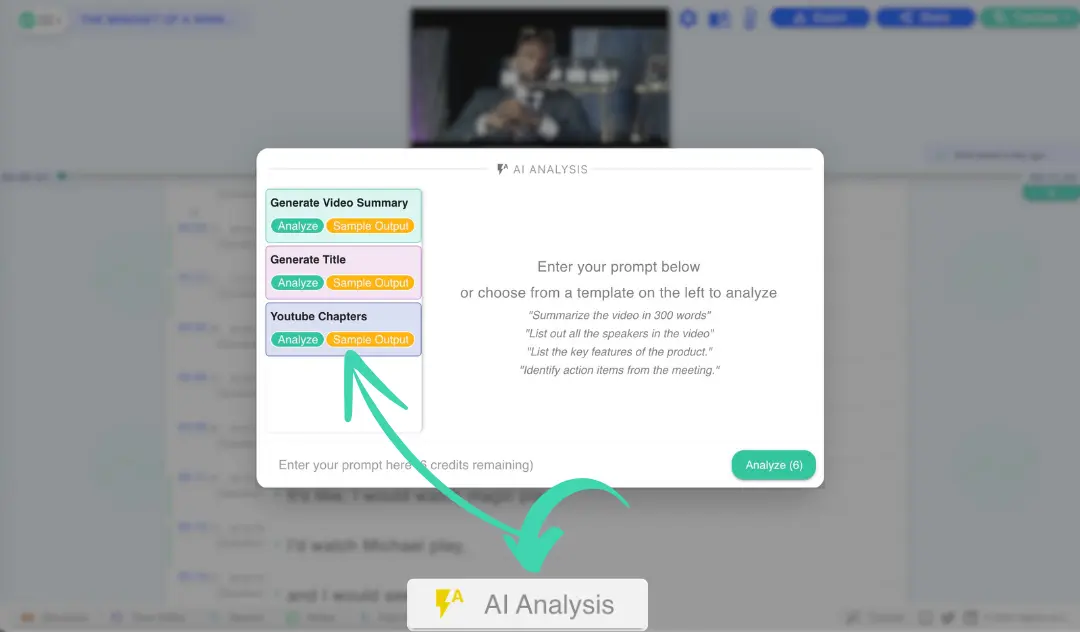
YouTube chapters & timestamps
Automatically generate YouTube-ready chapters with timestamps you can paste directly into the video description. Help viewers jump to the sections they care about.
Example:
- 00:00 Introduction
- 01:15 Background
- 03:40 Key discussion
- 05:00 Summary

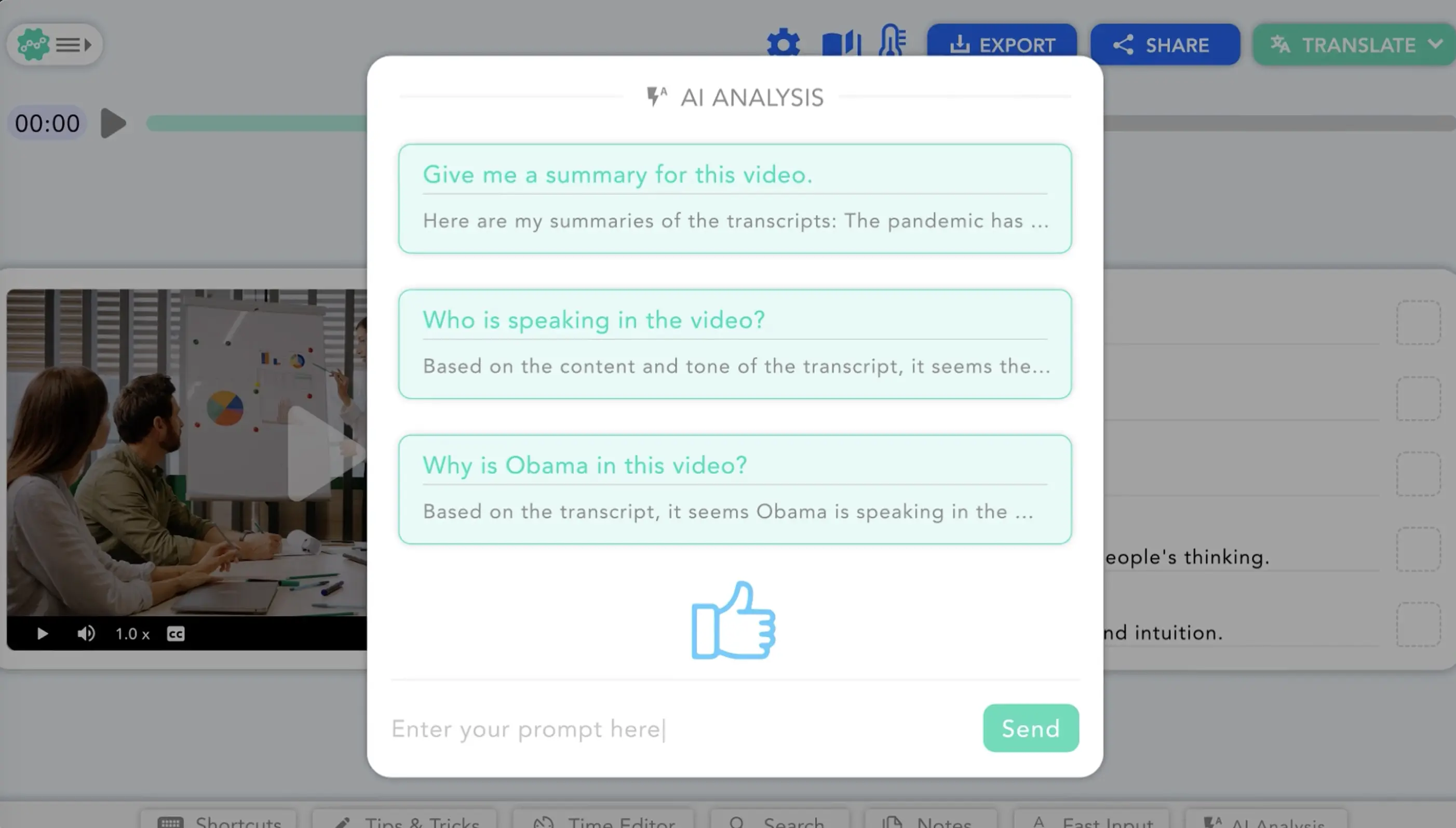
Chat with video (AI Q&A)
Go beyond summaries. Ask questions like "What decisions were made?", "What are the action items?", or "Where is the conclusion?" and get answers grounded in your video.
- Chat-style interaction with your video
- Find specific details without scrubbing timelines

Templates (no prompt needed)
Start fast with templates for summaries, transcripts, chapters, and meeting notes. Designed for consistent results without writing prompts.
- One-click outputs for common workflows
- Optional custom instructions when needed
Transcript cleanup & readability
Make transcripts and notes easier to read. Taption helps catch typos and awkward phrasing so your text is ready to share or reuse.
- Improve clarity and readability
- Copy-ready text for documents and reports
Upload a video or paste a YouTube link

Choose a template to generate a video summary, transcript, YouTube chapters, or meeting notes. No prompt writing required—start with a preset and refine if needed.
Analyze and structure the content

Tap Analyze to extract key points, transcripts, and action items. The AI organizes results into clean sections or bullet points, ready to review or share.
Copy, reuse, or publish

Copy YouTube-ready timestamps (00:00 format), reuse transcripts for documentation, or share summarized meeting notes with your team.
AI video summarization, transcripts & YouTube chapters
Watch how Taption analyzes video content to produce summaries, transcripts, YouTube chapters, and meeting notes. Learn how to use templates and Chat with Video to quickly find details.
Supported inputs: MP4/MOV video files and YouTube links.
AI video analysis for real workflows
Taption helps you analyze video content end-to-end—from transcripts and summaries to YouTube chapters and meeting notes—so you can reuse insights instead of rewatching videos.

Frequently asked questions
How do I summarize a YouTube video with AI?
Paste the YouTube link into Taption, choose a summary template, and run the analysis. You'll get a concise overview with key takeaways.Can Taption generate transcripts and summaries?
Yes. Taption can generate a transcript (word-for-word text) and a shorter summary that highlights the most important points.What's the difference between a transcript and a summary?
A transcript is the full text of what was said. A summary is a condensed version that focuses on key ideas and decisions. Many users use both together.Can I create meeting notes from a recording?
Yes. Upload Zoom, Microsoft Teams, or Google Meet recordings to generate meeting summaries, key decisions, and action items.Can I ask questions about the video?
Yes. With Chat with Video, you can ask questions like "What are the action items?" or "What was decided?" and get answers based on the video content.Is there a free trial?
Yes. Taption offers a free trial so you can test video summaries, transcripts, chapters, and Q&A features. No credit card required.