
Team Collaboration

Subtitles and Transcripts

Run transcription, translation, review, and delivery in one workspace: role-based subtitle and transcript collaboration, a shared minutes pool with centralized billing, and clear permissions to reduce risk and keep delivery moving.

✓ Recognized by Taiwan's Ministry of Economic Affairs

Start Free Trial

Collaboration with clear permissions

  • Files everywhere: version chaos, scattered feedback, slower delivery
  • Everyone buys separately: invoices and minute balances are split across accounts
  • Permissions are too broad: vendors/interns can accidentally delete, export, or access what they shouldn’t

Taption centralizes upload → transcribe → review → translate → export in one workspace, then uses a shared minutes pool and role-based permissions to manage both cost and risk.

Centralized billing + shared minutes: one pool across the team

Pool minutes at the workspace level so available time can be used by the teammates who need it, while billing stays consolidated.

  • Individual purchases → separate invoices / separate balances / access managed account by account
  • Centralized billing + shared minutes pool → one invoice / one shared balance / permissions managed in one workspace

Collaboration advantages for enterprise teams

  • Centralized billing: one invoice for the organization
  • Shared minutes pool: allocate usage where it’s needed
  • Role-based permissions: define who can view/edit/export
  • Time-coded notes: keep review feedback tied to timestamps

Security & privacy: control access & exports

  • Only the access each role needs: give vendors/new users just what they need
  • Access control: disable users and revoke permissions anytime
  • Controlled exports: only authorized roles can export subtitles/transcripts/videos
  • Feedback stays in-app: time-coded notes reduce screenshots and scattered chats

Need advanced security, deployment, or governance requirements? Contact us for an enterprise plan.

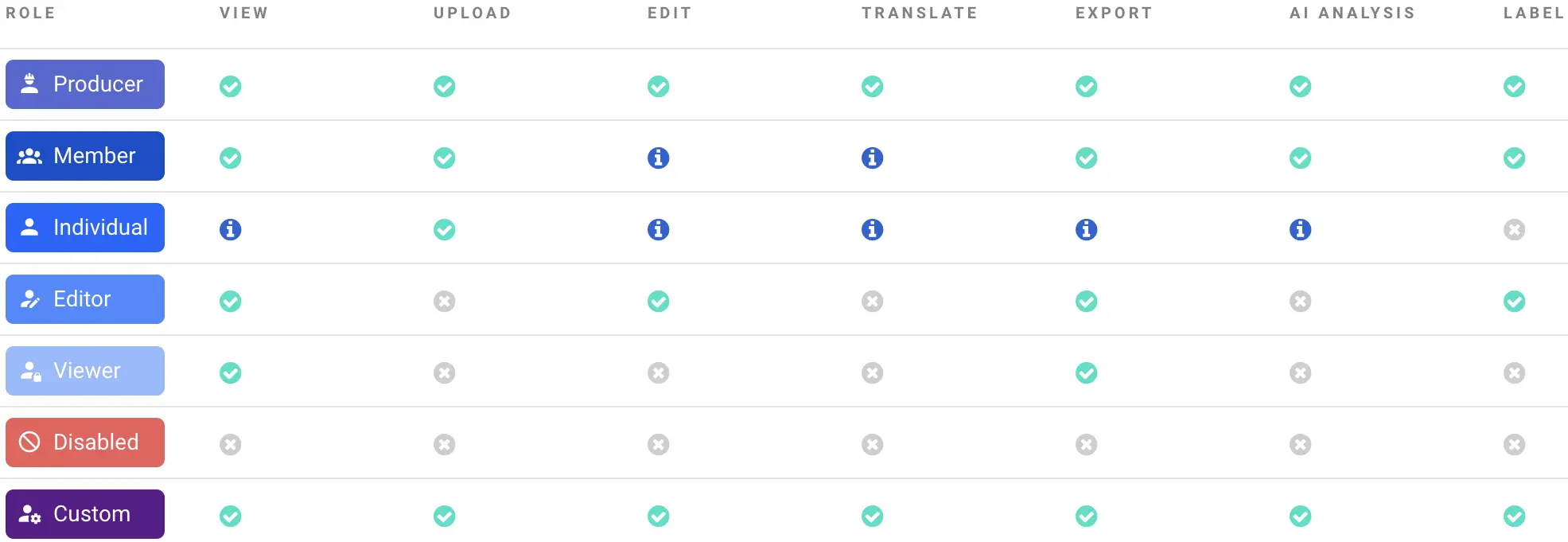
7 permission settings for viewing, editing, and exporting

Separate who can view / edit / export / administer so collaboration stays secure.

  • ✓ Tags & labeling permissions
  • ✓ Video upload permissions
  • ✓ Edit transcripts/subtitles
  • ✓ Share links
  • ✓ Export permissions
  • ✓ Translation feature access
  • ✓ AI analysis feature access

Admins can assign a tailored permission set per user based on role and project needs.

One workspace, separate sign-ins for every teammate

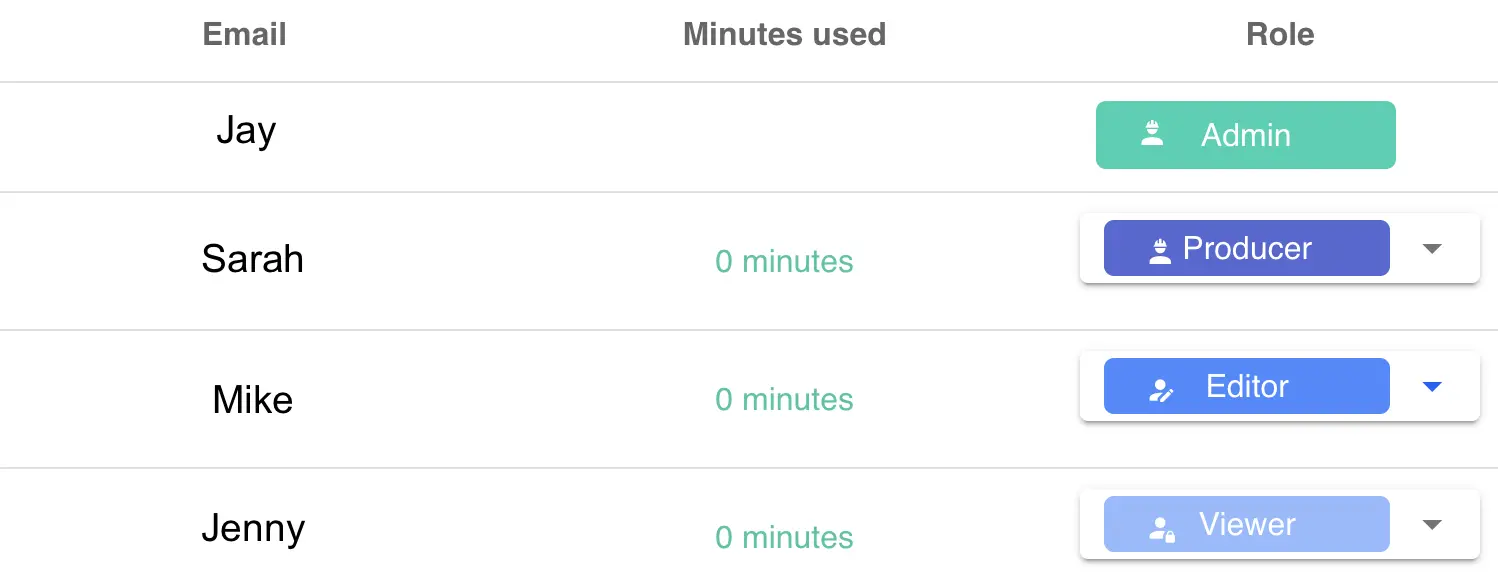
Step 1: Invite teammates to the workspace

Invite each teammate with their own account so subtitles, transcripts, and time-coded notes stay centralized without sharing a login.

Shared minutes pool + project-level organization

Step 2: Share minutes and manage projects

Everyone draws from the same minutes pool—usage is centralized and billing stays consolidated.

7 configurable permission controls

Step 3: Configure roles and permissions

Assign access by role (view/edit/export/admin, etc.). Customize permission combinations to match your workflow and governance needs.

Top 3 collaboration workflows

Video production teams

Editors / Post / Captions

  • Editor: upload video → generate transcript
  • Captioner: refine segmentation & terminology → export SRT/VTT or burn-in captions
  • Lead: review with time-coded notes → jump back to exact timestamps

Localization teams

Translate / QA / Deliver

  • PM: create projects and assign teammates
  • Linguist: edit text only (no export/admin) to reduce leakage risk
  • QA: annotate issues with time-coded notes for fast fixes

Corporate training & meeting notes

Cross-functional collaboration

  • Align on key transcript highlights to reduce follow-up questions
  • Govern exports: only authorized roles can download or export deliverables

Beyond preset roles, Taption supports customizable permissions—fine-tune access for viewing, editing, exporting, and member administration based on your team’s workflow.

A shared workspace keeps access and review handoffs in one place. Watch the video and set up team permissions in minutes.

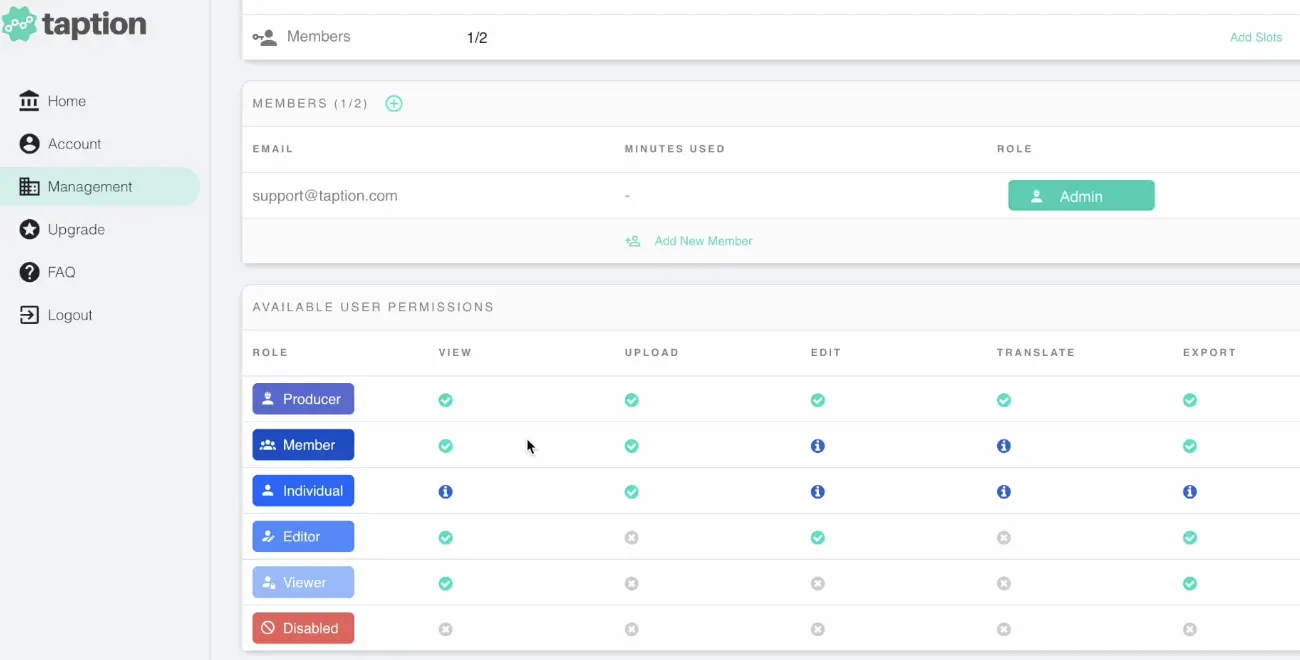
Play tutorial video
User management tutorial thumbnail

Frequently asked questions

  • What does team collaboration mean in Taption—how is it different from “sharing a login”?


    Taption is built around a shared workspace: multiple users collaborate on subtitles and transcripts with a shared minutes pool and role-based permissions, so cost and access stay governed while delivery stays fast.

  • How does the shared minutes pool work?


    All members in the same workspace draw from the same minutes pool. Any user’s transcription usage deducts from the shared pool, and billing can be consolidated into a single invoice—ideal for project-based and enterprise teams.

  • Can I restrict vendors/interns to “review-only” or block exporting?


    Yes. Use permissions to restrict exporting, uploads, or member management and grant only the access required for the role—reducing deletion, export, and data leakage risks.

  • How do we avoid conflicting edits when multiple people work on the same content?


    Use role-based workflows and time-coded notes. For example: one person owns segmentation/timing, another polishes wording, and reviewers leave notes tied to timestamps so changes stay coordinated and in context.

  • Can we use Taption with Google Drive/Dropbox and other cloud tools?


    Yes. Import media from common cloud storage, then export results as SRT/TXT/VTT and more—easy to integrate into both remote and in-office workflows.